HUD
In-match HUD layout for Team Deathmatch.
The HUD displays all the information you need during a match. Below is a breakdown of each element in a Team Deathmatch session.
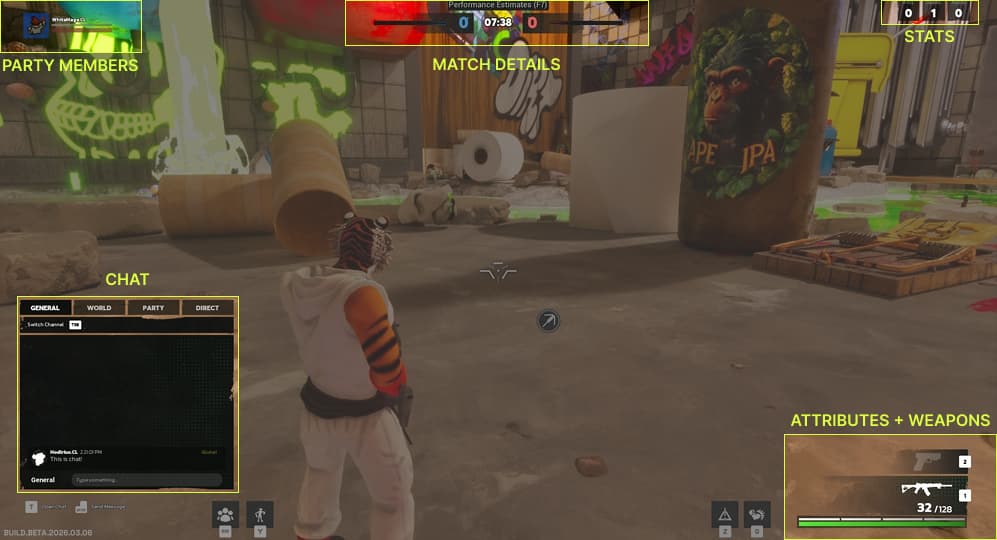
Party Members
Top-left. Shows your party members and their current status during the match.
Match Details
Top-center. Displays the current score for both teams and the match timer. Use this to track how close the match is to ending and whether your team is ahead or behind.
Stats
Top-right. Shows your personal stats for the current match: kills, deaths, and assists.
Chat
Bottom-left. The in-match chat panel with access to all four channels: General, World, Party, and Direct. Toggle chat open and closed with T.
Attributes + Weapons
Bottom-right. Displays your current health and shield bars, your two weapon slots, and your active weapon's ammo count. See Attributes for more detail.